

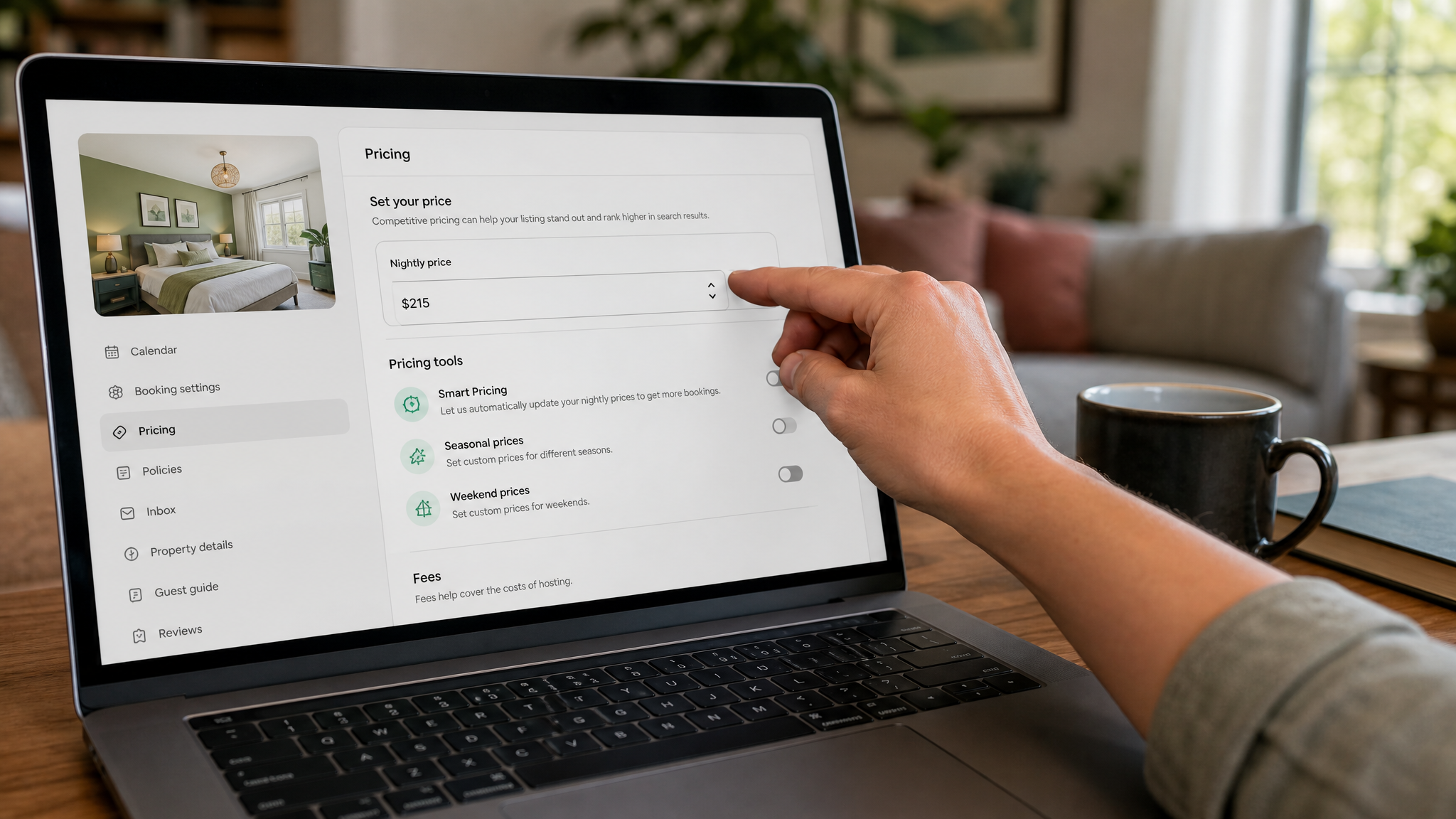
Airbnb Pricing Strategy for Hosts: A Step-by-Step Guide
Getting your pricing right on Airbnb is one of the most direct levers you have on profitability. Set rates too high and your calendar goes dark. Set them too low and you fill every night but leave serious money on the table. This guide walks through a repeatable, data-driven process for building an Airbnb pricing strategy that balances occupancy, revenue, and long-term competitiveness.
Step 1: Define Your Pricing Goals and Constraints
Set Measurable Objectives
Before touching a single number, decide what you are actually optimizing for. Your Airbnb pricing strategy can prioritize occupancy rate, average daily rate (ADR), or revenue per available night (RevPAN) — and the right choice depends on your situation. A new listing in a competitive market may need high occupancy first to build reviews. A premium property with limited availability may chase ADR from day one.
Write down your target for each metric and give yourself a time horizon. "80% occupancy at $175 ADR by month three" is actionable. "Make more money" is not.
Know Your Costs
Calculate your break-even nightly rate by listing every fixed and variable cost: mortgage or rent, cleaning labor, utilities, consumable supplies, and Airbnb's host service fee (typically 3%). Add a margin target on top. That number is your absolute floor — the rate below which every booking loses money.
Document your policies for last-minute deals, cancellations, and minimum lead times now, not later. These decisions interact directly with revenue goals. A strict 48-hour cancellation policy, for example, limits your ability to discount aggressively close to the check-in date.
Step 2: Research Market Comps and Demand Drivers
Identify True Comparables
Benchmarking against the wrong listings produces misleading conclusions. Filter comps by location radius, bedroom count, bathroom count, key amenities (pool, parking, pet-friendly), and overall review score. A three-bedroom house with a hot tub does not compete directly with a three-bedroom condo without one, even if they are two blocks apart.
Once you have a clean comp set, record each listing's average Airbnb nightly rate, cleaning fee structure, estimated occupancy, and review volume over the last 60–90 days. Tools like AirDNA or Rabbu surface much of this data without manual scraping.
Assess Demand Signals
Demand in short-term rentals is rarely flat. Map the specific drivers in your market: recurring events (sports seasons, festivals, conferences), school holiday patterns, weekend versus weekday compression, and seasonal weather shifts. A beach property in the Carolinas and a ski cabin in Colorado follow completely different seasonal curves, and your pricing must reflect yours specifically.
Pay attention to booking windows. Some markets fill 60 days out; others book heavily inside two weeks. Knowing your market's lead-time curve tells you when to hold firm on price and when a discount actually helps rather than just erodes margin.
Step 3: Segment Your Calendar and Audience
Calendar Segmentation
Treating every night identically is one of the most common vacation rental pricing mistakes. Divide your calendar into at least four periods: low season, shoulder season, peak season, and high-compression event dates. Each period warrants a different base price, minimum stay, and discount posture.
Layer in weekday versus weekend bands as a second dimension. In most leisure markets, Friday and Saturday nights command a 20–40% premium over Tuesday and Wednesday. Identify specific high-compression dates — New Year's Eve, a major local festival, a nearby stadium sellout — and flag them separately so they do not get averaged into routine pricing.
Guest Segment Alignment
Different guests book differently. Business travelers typically book on short notice and mid-week; families plan 6–10 weeks ahead and need weekend-anchored minimum stays; leisure couples often target long weekends. Align your minimum stay requirements and pricing bands to the booking patterns of the guests you actually want to attract.
Block dates strategically around your cleaning and turnaround capacity. Accepting a two-night midweek booking that creates a one-night orphan gap either side is often worse than blocking the nights entirely.
Step 4: Set Your Base Price and Guardrails

Establish Base Rate
Your base Airbnb nightly rate is the anchor from which every adjustment flows. Set it by triangulating three inputs: your cost-plus floor from Step 1, the median rate of your comp set, and your perceived quality position relative to those comps. If your property is cleaner, newer, or better-photographed than the average competitor, you can price 10–15% above the median. If you are still building reviews, price at or slightly below.
Define Floors and Ceilings
A floor price prevents your dynamic pricing tool — or a moment of panic about an empty calendar — from accepting bookings that lose money. A ceiling price prevents you from pricing yourself into irrelevance during demand spikes where you could have captured the booking at a lower rate.
Occupancy-based guardrails add another layer of intelligence. Configure automatic price increases when your pickup pace exceeds targets for a given check-in window. This captures demand without requiring daily manual intervention.
One often-overlooked balance: cleaning fee versus nightly rate. A $200 cleaning fee on a $90-per-night listing tanks search rank for short stays and discourages one-night bookings. Review that ratio and decide whether folding some cleaning cost into the nightly rate improves both conversion and perceived value.
Step 5: Implement Dynamic Pricing Rules or Tools
Tool Selection
Several tools exist specifically for dynamic pricing on Airbnb — PriceLabs, Wheelhouse, and Beyond are the most widely used. Evaluate each on the depth of market data they pull, how well they detect local events, how granular your override controls are, and how they handle cleaning fees and extra-guest charges. No tool is set-and-forget; they all require calibration to your specific property and goals.
Rule-Based Automation
Beyond the tool's base algorithm, build explicit rules for situations the algorithm may underweight. Enable demand-sensitive adjustments for holidays and local event compression spikes. Create lead-time rules — for example, increase price 10% if availability is below 20% inside three days, or apply a 7% discount at 21-plus days out if you have received no inquiries.
Stay-date logic and booking-date logic serve different purposes. Booking-date rules react to when people are booking; stay-date rules price based on the actual night being sold. Using both together gives you a more precise response to demand shifts than either alone.
Step 6: Configure Length-of-Stay, Fees, and Discounts
LOS Optimization
Minimum stay requirements directly shape your occupancy pattern and cost structure. A two-night minimum in peak season can be very profitable. That same minimum during a slow midweek stretch in January may leave you with three empty nights when a one-night booking would have at least covered costs.
Set minimum and maximum stays by season rather than applying one global rule. During high season, longer minimums reduce turnover labor and increase margin per booking. During low season, shorter minimums keep the calendar moving.
Offer Structure
Weekly discounts of 10–15% and monthly discounts of 20–30% are common in the market, but always verify what you actually net after fees before publishing them. A 25% monthly discount sounds attractive until you calculate that your cleaning fee and platform commission eliminate your margin entirely.
Tune pet fees, extra guest fees, and parking charges to reflect your actual costs without triggering sticker shock at checkout. Orphan-gap discounts — automatic reductions on one- or two-night openings sandwiched between longer bookings — are a practical way to recover revenue from nights that would otherwise go empty.
Step 7: Optimize for Seasonality and Special Events
Seasonal Curves
Load seasonal pricing curves six to twelve months in advance. High-season markups of 30–60% above base are not unusual in strong leisure markets, but pair them with carefully set floors for the low season that still protect margin. Dropping too low in January to chase occupancy trains guests to expect cheap rates and can damage your positioning for the rest of the year.
Event Calendars
Identify every meaningful event within 30 miles of your property — concerts, marathons, college graduations, sporting championships — and set event-specific premiums early. As the event date approaches and pickup confirms the demand, tighten availability or hold price firm. Publish too aggressively too late and you miss the booking window when planners are actively searching.
On high-demand weekends, escalate prices confidently. On shoulder weekdays surrounding those weekends, temper rates enough to maintain search visibility and capture guests who have schedule flexibility. During peak periods, consider bundling add-ons — early check-in, a parking pass, a welcome basket — to lift total booking revenue without increasing the displayed nightly rate and risking conversion drop-off.
Step 8: Monitor Performance and Adjust Continuously
KPIs to Track
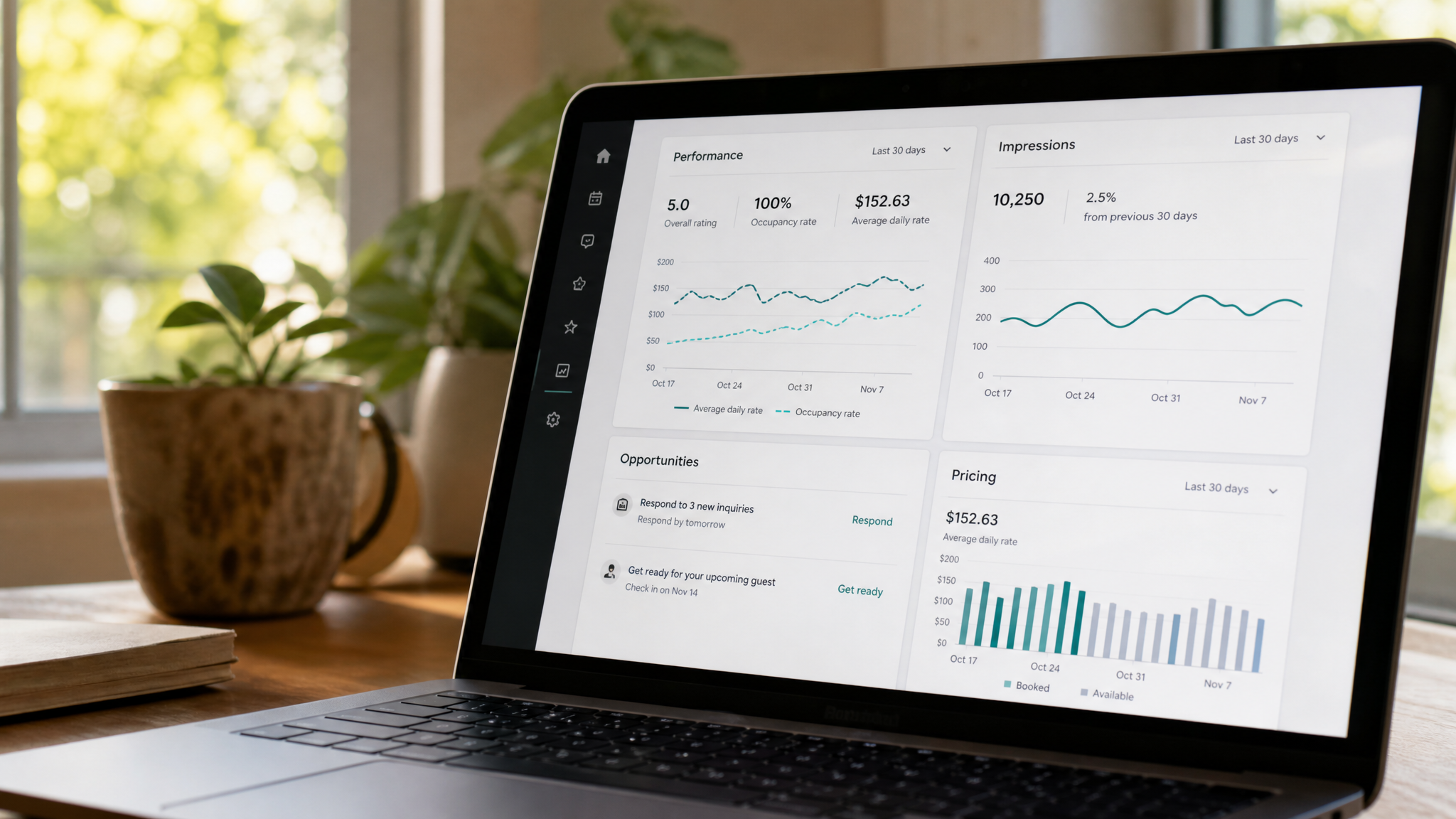
Set a weekly review cadence for five core metrics: occupancy rate, ADR, RevPAN, average booking window, and search-to-book conversion rate. RevPAN is the single most complete performance indicator because it reflects both rate and occupancy simultaneously. A property running 95% occupancy at a low ADR may actually underperform a property at 72% occupancy with a strong rate.
Compare your pace against the same period last year and against your comp set. Underperformance versus comps usually means you are either overpriced relative to your quality tier or your listing has a visibility problem that pricing alone cannot fix.
Pricing Cadence
When pickup outpaces your targets, raise prices — incrementally, not dramatically. Sudden large increases can stall momentum. When search views climb but conversion lags, that signals your price is above what the market will pay for your perceived value at that moment. Discount gradually and monitor whether conversion recovers.
Audit your listing quality at least quarterly. Photos, amenity accuracy, and review scores directly affect how guests perceive value, which in turn determines what your pricing can realistically support. A five-star listing with 200 reviews can hold a rate 20–30% above an identical property with 15 reviews and aging photos.
Step 9: Test, Learn, and Scale Your Strategy
A/B Experiments
Experienced hosts treat their listings like digital marketing campaigns: always be testing. Run controlled experiments on thumbnail photos, listing titles, and small price deltas — say, $5 or $10 per night adjustments — to measure the effect on views, inquiries, and bookings. This is precisely how to price your Airbnb with confidence over time rather than guessing.
Keep a simple log of what you tested, when, and what happened. That documentation is what separates a repeatable strategy from a collection of one-off reactions.
Portfolio Rollout
If you manage multiple listings, codify your winning rules into standardized playbooks segmented by market tier — beach properties, urban apartments, mountain cabins. Apply consistent logic across similar listings rather than rebuilding strategy from scratch for each one.
Automate monitoring with alerts for demand anomalies: a sudden spike in search views after a major event announcement, or a booking drought that suggests a pricing or listing problem. Review the full strategy quarterly, refreshing your comp benchmarks, updating costs, and adjusting seasonal curves based on what the data actually showed versus what you projected.
Building a durable Airbnb pricing strategy is an iterative process, not a one-time setup. The hosts who consistently outperform their markets do so because they combine a clear cost and goal structure with real-time market data, disciplined automation, and a genuine commitment to reviewing what the numbers say. Start with your floor price, anchor your base rate to verified comps, implement smart dynamic pricing rules, and build the habit of weekly performance reviews. Each cycle of data makes the next decision sharper.